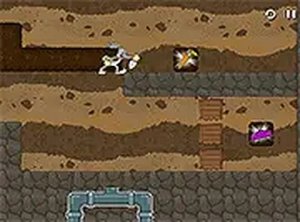
Typing Defender Arcade
What players say
Typing Defender Arcade successfully combines classic arcade action with educational typing practice. The retro visuals are charming, and the increasing difficulty keeps the game engaging. It's a great tool for improving typing speed and accuracy without feeling like a chore. The fact that it requires no downloads or sign-ups makes it incredibly accessible. Overall, a solid choice for anyone looking to have fun while learning.
About
Game Introduction
Typing Defender Arcade is a typing game that blends classic arcade action with word practice. In this retro-inspired experience, players use their typing skills to power up and overcome alien invaders. The core objective is to improve typing speed and accuracy while defending against waves of alien attackers. It combines nostalgia with learning, making it suitable for both kids and adults. The game is designed to be accessible and engaging, offering a fun way to practice typing without the pressure of a traditional classroom setting. Its retro visual style evokes the charm of early arcade games, while the educational focus helps players build a valuable skill. The game progressively introduces more challenges, keeping the experience fresh and rewarding.
How to Play
Players type the words displayed on the screen as quickly as possible. Each correctly typed word activates a defensive action against the alien invaders. The faster you type, the more aliens you overcome. The game progressively becomes harder with faster words and more invaders. It can be played on mobile or desktop, and full-screen mode is available for an immersive experience. No downloads are needed; just open your browser and start typing. The interface is straightforward, making it easy for anyone to begin playing immediately. Players typically start with simple words and advance to more complex ones as they improve.
Game Features
Educational typing practice that helps improve speed and accuracy. Retro arcade style that appeals to fans of classic games. Increasing difficulty levels that keep the gameplay challenging. No downloads or sign-ups required, making it easy to start. Works on mobile and desktop devices for flexible play. Full screen mode available for focused, distraction-free practice. The game is free to play and accessible directly in a web browser.
Tips for Success
Practice regularly to improve your typing speed and accuracy. Focus on accuracy first, then speed. Learn the keyboard layout to type without looking. Take breaks to avoid fatigue. Challenge yourself with faster word speeds as you improve. Consistent practice is the key to mastering the game and building long-term typing skills.