Astro-Steve Retro Platformer
What players say
Astro-Steve Retro Platformer offers a nostalgic experience with its retro graphics and clever level design. The gravity flipping and screen-wrapping mechanics add fresh twists to classic platforming. It is easy to pick up but offers enough challenge to keep players engaged. Best of all, it is free and runs smoothly in a browser.
About
Game Introduction
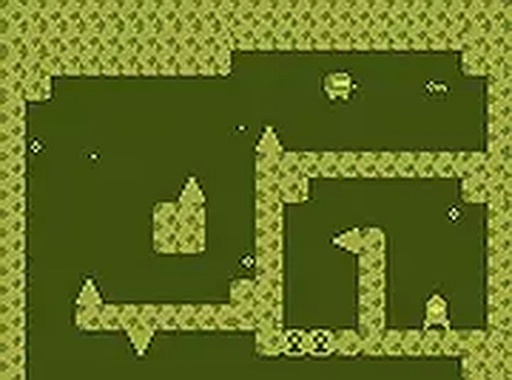
Astro-Steve Retro Platformer is a 2D platformer with charming retro-style graphics. You control an astronaut who has trouble flying his spaceship. Your mission is to guide him across floating platforms and reach the key to complete each level. The game introduces unique mechanics like screen-wrapping, which allows you to move from one side of the screen to the other, and gravity flipping, which lets you walk on ceilings and walls. This creates a fun and challenging experience for players who enjoy classic platforming action. The game is free to play directly in your browser, with full screen mode available for a more immersive feel.
How to Play
To play Astro-Steve Retro Platformer, you use your keyboard on a desktop computer. The controls are simple: use the arrow keys or WASD to move left and right, and press the spacebar or up arrow to jump. You can also use the screen-wrapping feature to teleport from one edge of the screen to the other, helping you reach tricky spots. The gravity flip mechanic allows you to change the direction of gravity, letting you walk on ceilings and walls to avoid obstacles. Your goal is to navigate each level, avoid falling off platforms, and collect the key to progress. The game is designed for desktop play and works best on computers.
Game Features
Retro 2D graphics create a nostalgic feel. Gravity flipping changes the direction of gravity for unique movement. Screen-wrapping lets you teleport across the screen. Free browser play requires no downloads. Full screen mode enhances immersion.
Tips for Success
Practice using the gravity flip and screen-wrapping mechanics together to reach hidden areas. Take your time to plan your jumps, as rushing often leads to falls. Learn the layout of each level to anticipate where you need to flip gravity. Use screen-wrapping to quickly cross large gaps or avoid obstacles. Keep an eye on the key location and plan your route accordingly. Regular practice will help you master the controls and improve your timing.