Game Introduction
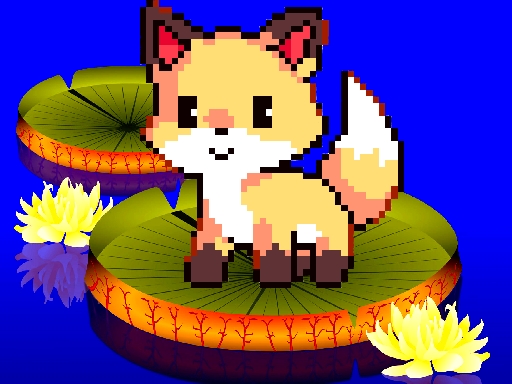
Pixel Art Coloring Adventure is a free online activity designed for relaxation and creative expression. Players can explore a selection of themed coloring pages, each featuring charming pixelated artwork. The game provides a peaceful environment where you can focus on coloring without any pressure. It is suitable for individuals of all ages who enjoy art or simply want a calming break. The experience is built around freedom and personal expression, allowing you to transform black-and-white outlines into vibrant, personalized pictures. Whether you are looking for a quiet pastime or a way to unwind, this game offers a gentle, engaging activity. The pixel art style adds a nostalgic touch, making each page a small canvas for your imagination. There are no complex rules or objectives, just the simple joy of adding color to a picture. This makes it an excellent choice for moments when you want to disconnect from busy routines and engage in a soothing, creative process.
How to Play
To begin, select one of the available coloring pages from the main menu. A palette of colors is provided, and you can choose any shade by tapping or clicking on it. Then, apply the color to the desired area of the picture by tapping or clicking on that section. The controls are intuitive, allowing you to zoom in on smaller details for more precise coloring. You can easily switch between colors as you work. There are no timers, scores, or penalties, so you can take as much time as you like on each page. If you make a mistake, you can undo your last action or recolor an area. The goal is simply to enjoy the process of creating a colorful image that reflects your personal taste.
Game Features
Pixel Art Coloring Adventure includes a variety of themed coloring pages, each with unique pixel art designs. The game offers a simple, user-friendly color palette that is easy to navigate. Players can zoom in and out to work on fine details or view the whole picture. The controls are designed to be accessible on different devices, including computers and tablets. There are no time limits or scoring systems, ensuring a stress-free experience. The game is free to play online, requiring no downloads or installations. It provides a quiet, creative space for players to express themselves through color.
Tips for Success
Take your time and enjoy each coloring session. Experiment with different color combinations to create unique effects. Use the zoom feature to add detail to small areas. There is no right or wrong way to color, so let your creativity guide your choices. If you are unsure, start with lighter colors and build up to darker shades. The most important thing is to relax and have fun with the process.









Comments
0 comments